Studio Booth Rental
 Green Screen Photo Booth Rental
 Glam Booth Rental
 Mirror Photo Booth
 Classic Photo Booth Rental
 Light Painting Photo Booth Rental
 Vogue Photo Booth Rental
 Glambot Rental
 360 Photo Booth Rental
 Bullet Time Photo Booth Rental
 Testimonial Booths
 Roaming Photo Booth Rental
 GIF Photo Booth Rental
 Virtual Photo Booth


 Split Flap Display
 Custom Dog Tag Station
 Giant Lite Brite
 Digital Graffiti Wall
 Retail Photo Booth Installation
 Ski Lift Photo Booth
 Custom Photo Booth
 LED Dance Floor
A personalized photo activation is an event photo setup in which each guest makes a choice on a screen before the camera fires, and that choice decides the look, card or background the guest takes home. Common builds are AI photo booths, custom trading card stations and green screen booths. The options are fixed before the event; which option each guest gets is not. Every pick is also recorded, so a personalized photo activation produces both a keepsake for the guest and a count of what guests chose.
A logo on a print or a branded template is output styling: every guest gets the same file. A choice-driven build branches at the screen, in front of the guest.
On CEG’s 2026 rate sheet, a green screen booth runs from $2,500, an AI photo booth from $5,000 and a custom trading card station from $8,000, each for up to 3 hours with digital sharing included; extra hours booked in advance run $500 each on the green screen, and AI and custom builds are quoted. The trading card price includes printed double-sided cards, unlimited while time permits; prints add $500 on the green screen and $1,000 on the AI booth. Logo, colors and card-front branding are included in those prices; a brand-new custom AI look or a complex custom question flow is quoted.
WHAT THE PERSONALIZATION GAP MEANS FOR A PHOTO ACTIVATION
The personalization gap is CEG’s name, not Freeman’s, for the distance between the 78% of event organizers who believe they deliver goal-aligned peak moments and the 40% of attendees who report having one, a split published in Freeman’s attendee research on October 6, 2025. It is a retention problem before it is a creative one: attendees who get one such moment are 85% more likely to return.
In Skift Meetings’ coverage of the same report, attendees who had a peak moment most often credited vendor relationships (41%), learning (20%) or networking (19%), not spectacle.
Does a personalized output count as a peak moment?
A personalized output is not a peak moment on its own, and CEG’s own share data, in the data section below, shows that transforming the photo does not make guests share it more. What moves it closer is that the guest chose it: the team they follow, the product they came to see, the answer that sounds most like them. The output then carries the guest’s decision instead of the brand’s guess.
HOW A CHOICE SCREEN CHANGES WHAT A GUEST TAKES HOME
A choice screen changes the output by asking two or three questions on a touch screen before the camera fires, then applying the treatment each answer selects: which team, which product, which look.
Two or three questions is the working range. Each question adds time to every session. Ask more and the build becomes a survey with a camera attached. Keep each question to two to four answers so a guest can choose without reading a menu. Even on a green screen, where the number of backgrounds has no technical limit, CEG advises 12 at most, because a longer list causes decision paralysis and delays the line.
Put the choice before the shot. A pick made at the screen before capture changes what the camera produces, so the guest watches their own answer arrive. A pick made after the shot, from a menu of filters, only sorts output that already exists.
THROUGHPUT WHEN GUESTS CHOOSE
A standard CEG photo station, AI included, runs about 60 guest sessions an hour; a choice-driven build runs fewer, because each tap-to-answer question adds about 5 seconds per guest. At about 60 seconds a session, one question makes it 65 seconds, or about 55 guests an hour; three questions make it 75 seconds, or about 48 an hour. An AI photo arrives by text, email or QR code about 1 to 2 minutes after capture, so the guest steps away while it renders and the next session starts.
Group size also sets the pace: an AI photo holds up to about 4 people, and likeness holds best with fewer faces. Decide before the event whether one answer covers the group or each person picks, which means a card or render per person and a longer session.
WHAT THE BUILD NEEDS ON SITE
A photo activation with a choice screen needs 8×8 ft of floor for an AI photo booth or a green screen, 8×12 ft for a trading card station, 1 to 2 hours of setup, and 4 to 6 weeks of booking lead time for a standard build.
- Custom branding adds 7 to 10 business days of design time, so book toward the long end of that window. A custom AI look takes 5 to 7 business days to build and test, so the questions and answers must be final at least that far ahead.
- Travel is quoted from the nearest CEG location and can include flights, hotels and freight.
- Any build that prints needs an attendant. A digital-only green screen is the one build here that can technically run unattended.
- Venue Wi-Fi is enough for an AI build; trade show and conference floors need a hardline.
THREE PHOTO ACTIVATION BUILDS THAT RUN ON GUEST CHOICES
Three builds run on guest choices at CEG events today: an AI photo booth, a custom trading card station and a green screen. They differ in how the guest chooses and what the guest carries out.
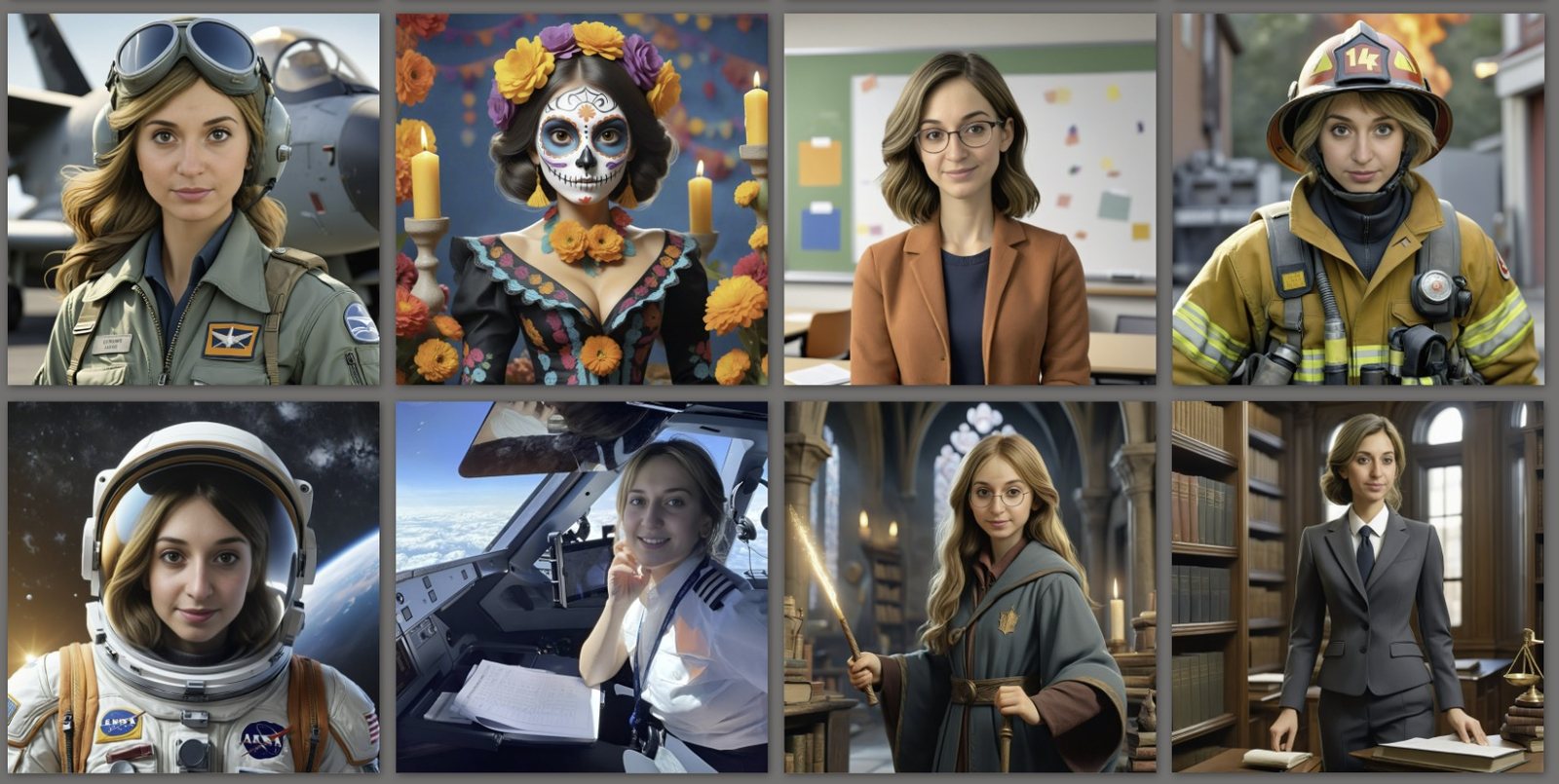
AI photo booth. The guest either picks a look on the screen or answers two or three quick questions that route them to the matching look. Each option comes from CEG’s library of 109 production AI looks. It fits brand activations and conferences where each option maps to something the brand cares about. The looks and how an AI photobooth station runs are on our AI booth page.
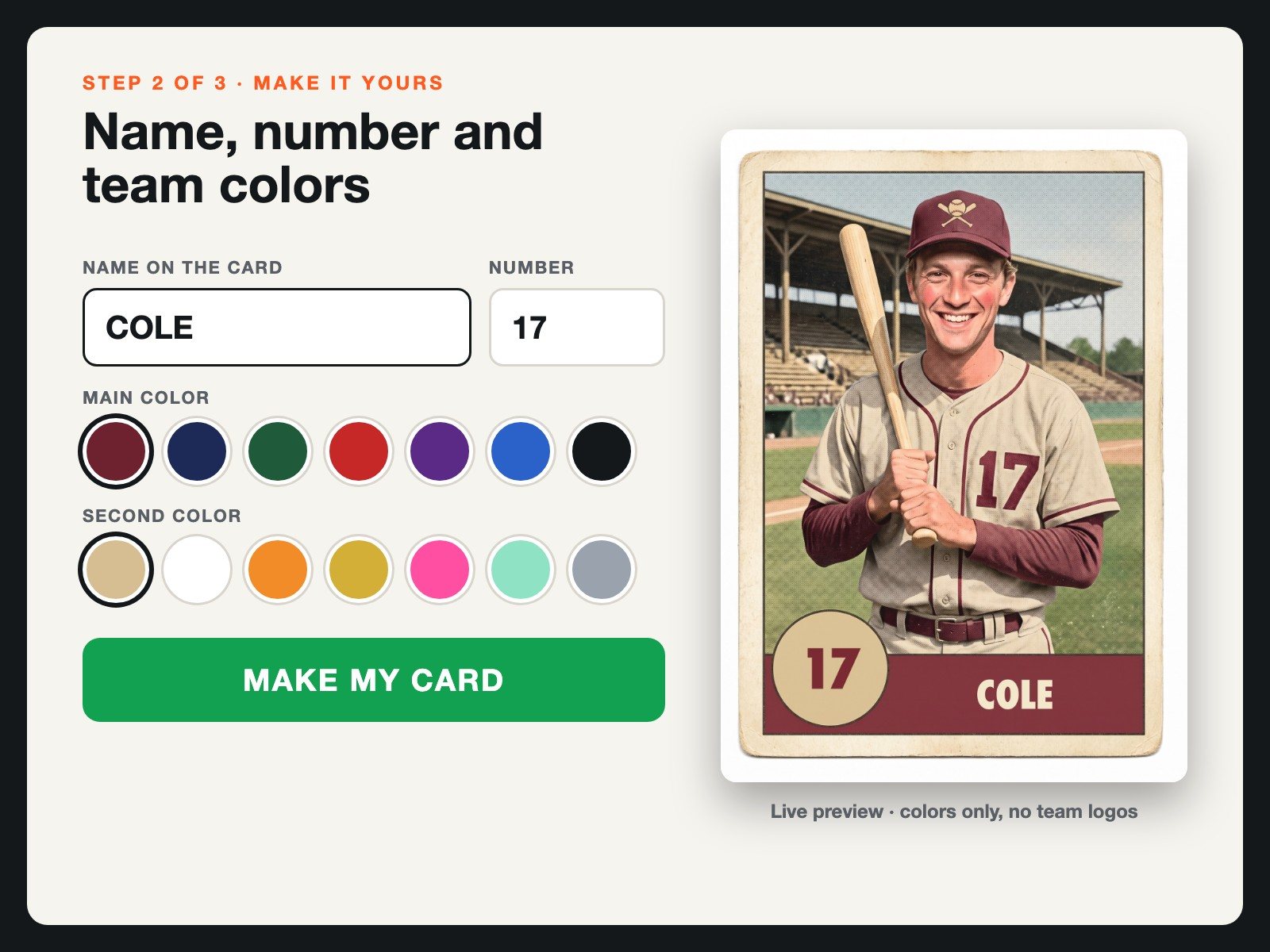
Custom trading cards. The guest picks the card design and leaves with a printed collectible, and cards are unlimited within the booked hours. On CEG’s AI card, a name, a jersey number and two team colors feed the portrait as well as the frame; the non-AI card puts the same details on a real photo. It fits sports activations, sponsor lounges and multi-day conferences. The station is on our trading card page.
Green screen. The guest picks a background and stands in front of it, and no AI changes the face. It fits general crowds and briefs where the point is the scene the guest chose. The backgrounds and setup for a greenscreen station are on our green screen page.
More questions give a fuller record and lose more guests partway through, so start with the shortest set that still tells the brand something new.

WHEN A CHOICE SCREEN IS THE WRONG CALL
A personalized photo activation is the wrong call in two common situations: high-volume walk-up traffic, where the choice screen slows the line, and events where minors are present or the client will not allow AI to change guests’ faces. Each has better options that work alone or together.
High-volume walk-up traffic
At a cocktail hour or an expo aisle at peak, every question lengthens every session, so the line grows faster than it clears and guests walk away. Three options keep the pace:
- Move the choice to the guest’s phone. With QR pre-registration, a $1,000 upgrade on digital booths, a QR sign in the line opens a short form, the guest answers while waiting, and the booth scans the guest’s personal QR and fires with one tap. Booth time per guest drops by about half, which roughly doubles sessions per day, and the same form collects the contact and opt-in. It is the only one of the three that keeps the preference record.
- Drop the choice. A styled branded template gives every guest the same designed output with nothing to answer; add a second booth if the line still builds.
- Take the camera to the crowd. A roaming photo booth moves through the room with an attendant, so no line forms, and battery power is included.
Minors present, or no AI face changes allowed
An AI build regenerates the whole image while keeping the guest’s likeness, so the face itself is redrawn. When guests under 18 are expected or the client’s policy rules out altered faces, two options keep the choice screen, and the preference count, and leave the face alone:
- A green screen with guest-chosen backgrounds. The guest picks the scene, and the face is never altered.
- Non-AI trading cards. The team, name and number go on a real photo, printed as the card.
Peyton Vincent walks through a CEG green screen booth, from the touchscreen background picker to sharing by email, text or QR code.
Transcript summary: guests get a three-second countdown, then see their photo live on screen against every background loaded for the event and share the one they like. The enclosure takes a full custom wrap, the touchscreen can be rebranded end to end, and a background-removal mode can drop guests into a scene without the green backdrop, still with no change to their faces.
Or use both, split by audience: green screen for a general crowd, cards for a sports or school crowd. Beyond these two situations, a brief with no question worth asking needs only a styled template, and when data is the only goal, a one-question poll in the event app costs less than any photo build.
WHAT A CHOICE-DRIVEN PHOTO ACTIVATION NEEDS FROM THE BRIEF
Planning personalized photo activations for events starts with three decisions in the brief, settled before anyone talks about hardware: the question, the branch set, and what happens to the picks.
The question has to clear two bars: the brand wants the answer, and the guest wants to give it. One that only serves the brand reads as a form; one that only amuses the guest produces nothing the brand can use.
The branch set is every answer and where it leads. Each destination is built and then tested in rehearsal with a real guest photo, because the branch nobody tested is the one that renders wrong in front of a guest.
“I have the brand approve every AI look on test photos before the event, and if a render still comes out wrong on the floor, the guest gets a free retake.”
Peyton Vincent, founder, CEG Interactive
The picks are a record whether anyone plans for them or not. Agree up front who receives the count, and say on the screen that answers are counted.
Three question sets show the pattern. The first is Phenom’s at HR Tech; the other two are illustrations, not client builds.
| Example Question Sets | ||
|---|---|---|
| Event | Question and answers | What the brand learns |
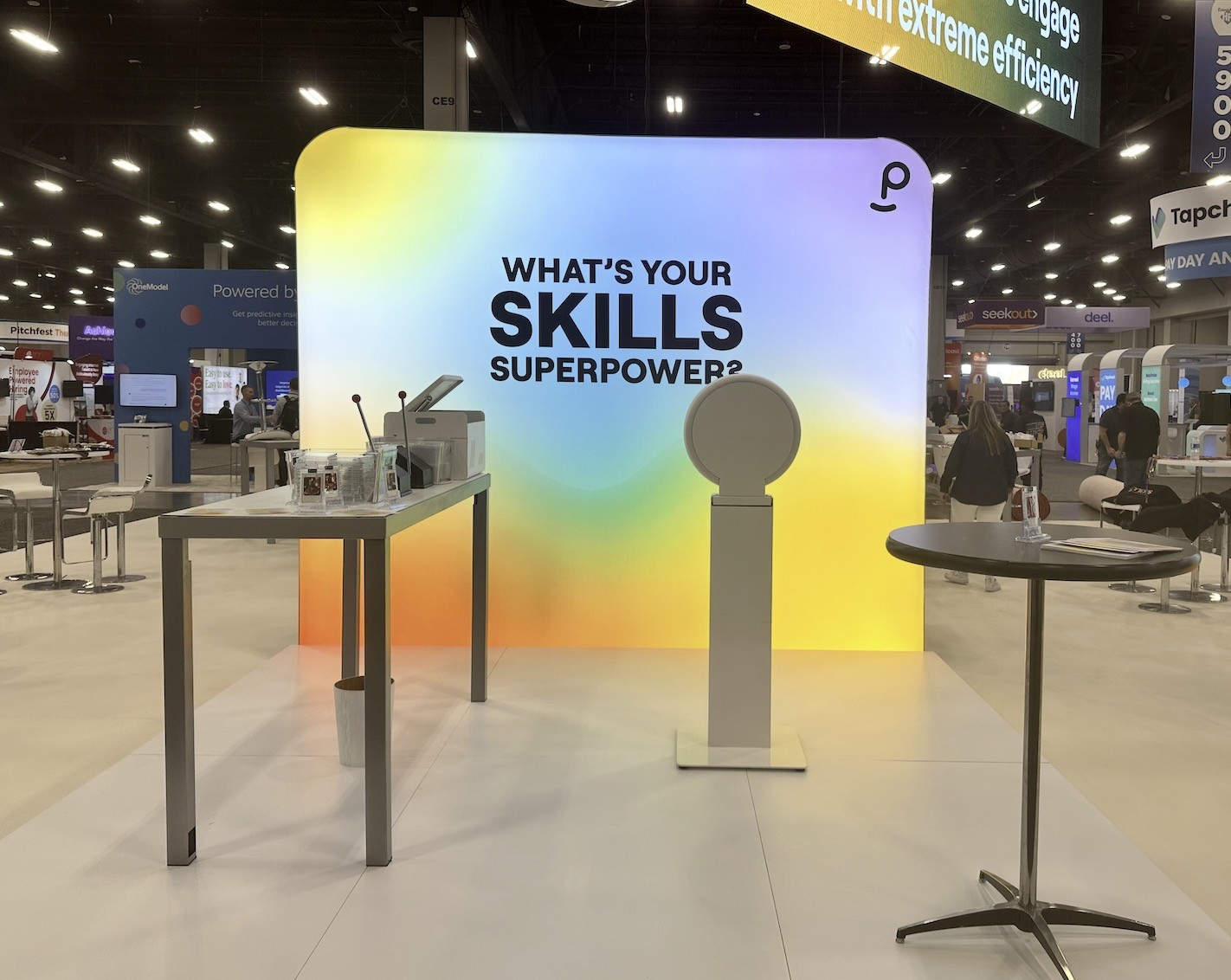
| Trade show booth (Phenom, HR Tech) | “What is your skills superpower?” A short list of powers, each routed to an AI superhero card. | Which skills its visitors claim first |
| Product launch | “Which one did you come to see?” Two or three products, each with its own AI look or card design. | Which product drew the room, as picks out of sessions |
| Sales kickoff | “Which region are you on?” Three or four regions, each with its own card colors and frame. | Turnout by region at the station |
In each set, one question turns into a count the brand can use, reported as picks out of total sessions. Phenom’s booth at HR Tech learned which skills its visitors claimed first; the other two sets show the same pattern for a product launch and a sales team.
THE DATA GUEST PICKS PRODUCE
Every pick is a preference record. A build where guests choose between two products yields a count of which one they chose, session by session, with no separate survey station.
On a CEG build, the picks land in the same analytics dashboard as sessions, shares and guest contacts. It filters by answer, opt-in and share channel and stays live during and after the event, with a PDF summary within 72 hours of close; the event analytics report shows it field by field.
Is that data worth anything when the sample is only the guests who used the setup?
A preference count from a photo activation is worth reporting, within limits: it describes the guests who took part, not the whole room. Reported with the denominator named, such as picks out of total sessions, it holds up in a recap deck.
Do guests share more when the photo is transformed?
Guests do not share AI-transformed event photos more than standard ones in CEG’s own numbers. In CEG’s Snappic account (events from 2022 through 2026, export dated August 8, 2026), events of 30 or more sessions with sharing turned on split this way: AI builds averaged 1.25 shares and 0.85 leads per session across 42 events and 8,794 sessions, and non-AI builds averaged 1.34 shares and 0.83 leads per session across 240 events and 31,523 sessions. Not every AI build in that set asked guests to choose, but it is the closest comparison the data holds. Scope a choice build for the preference record and a keepsake the guest picked, not for more shares.
WHAT TO ASK A PHOTO ACTIVATION VENDOR
Six questions cover what a legal or procurement review will ask about any build that photographs faces and records answers. Each is followed by CEG’s answer.
- Consent: does the screen tell guests their photo is processed by AI and their answers are counted, and is marketing opt-in unchecked by default? CEG: the consent screen can carry that notice, which CEG recommends, and the marketing opt-in starts unchecked. Clients can add their own qualifying fields, such as job title, company or product interest, and each adds a few seconds per guest. Using guest photos in brand marketing is the client’s call; CEG recommends an opt-in line on the share screen for any image that will run in ads.
- Face photos: where are they processed, how long are they kept, who can delete them on request, and are they ever used to train a model? CEG: face photos are processed in the cloud by the AI image service only to render the guest’s image, and they are never used to train a model. Galleries and guest data stay available to the client, and a guest or the client can ask for deletion at any time, which CEG honors. Face analysis (age and gender estimates) is off by default, and is turned on only at the client’s request, with notice to guests, where the event’s location allows it.
- Minors: how does the build handle guests under 18, and is there a non-AI option? CEG: a green screen with guest-chosen backgrounds or non-AI trading cards keeps the choice and never alters the face.
- Data export: are choice counts delivered in aggregate or tied to lead records, and in what file format? CEG: the live dashboard filters by answer, and guest contacts export as a CSV at any point during or after the event, ready to import into HubSpot, Salesforce or a similar CRM.
- Licensing: who clears team logos and licensed characters? Team colors without names, logos or marks lower the risk but do not remove it, because colors in a team context can still raise a trademark claim. CEG’s advice: clear every team or league mark with its rights holder, and let the brand’s counsel decide.
- Testing: is every look rehearsed on a real guest photo, and what happens if a render fails on the floor? CEG: the brand approves every AI look on test photos before the event, a failed or unflattering render gets a free retake, and the crew carries backup gear to every event.
PHOTO ACTIVATION EXAMPLE: PHENOM AT HR TECH
At the HR Tech conference, Phenom built its trade show booth around one question printed across the backwall: what is your skills superpower? Attendees tapped the touchscreen, picked a power, and left with an AI superhero trading card of themselves, printed at the table beside the backwall and handed over in an acrylic holder.
An attendee at Phenom’s HR Tech booth, filmed on the show floor, holds up two superhero cards he had made for a friend and their son from a photo on his phone. The cards were printed and cased at the booth.
“I think they turned out better than mine.” Attendee at the Phenom booth, HR Tech.
Transcript: “Just got my superpower, my superhero card done. It was super cool. I ended up getting a couple done for a friend of mine and their son, who are not here. Used a photo from my camera, and look at these bad boys. I think they turned out better than mine.”
“To say the photo op was a hit is the understatement of the century. People loved it!”
Paige B., Phenom
WHAT CLIENTS SAY
CEG Interactive averages 4.8 out of 5 across 208 post-event surveys, with 87% of survey respondents rating CEG five stars, alongside 200+ five-star Google reviews. The crews behind these builds have run photo activations for 20+ years, at 2,700+ events and more than 211,000 guest sessions.
WOW! The team went above and beyond to ensure our end client was happy.
CEG is always an amazing partner — already looking forward to the next event.
Always professional, accommodating, and easy to work with. Thanks, team CEG!
We hired CEG for Burlington's Leadership Summit — our Senior Vice Presidents and executives joined in.
You're always on time, prepared for anything, and so creative. We love working with you!
Working with CEG was a breeze — they handled the entire setup without pulling our team away.
Communicative, punctual, and professional — they take pride in their work.
CEG is always a dream to work with — professional, timely, and warm.
Everyone had a great time — the onsite staff was great!
Grant was great and did a super job. Thank you!
PAIRS WELL WITH
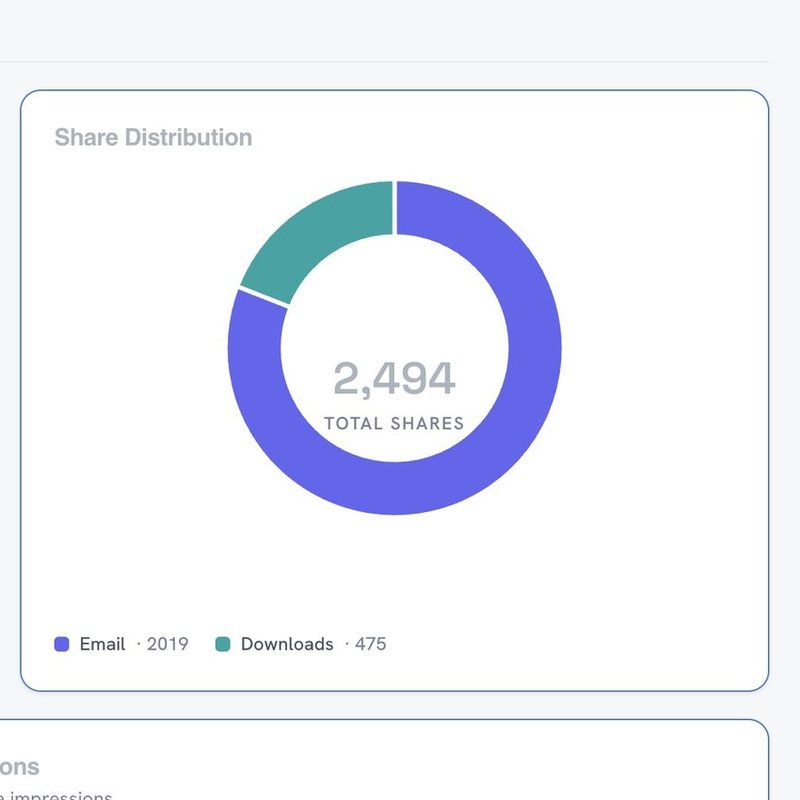
Every pick made on the choice screen lands on the post-event report as a count beside sessions, shares and leads.

A recorded interview station swaps the choice screen for a question the guest answers on camera.
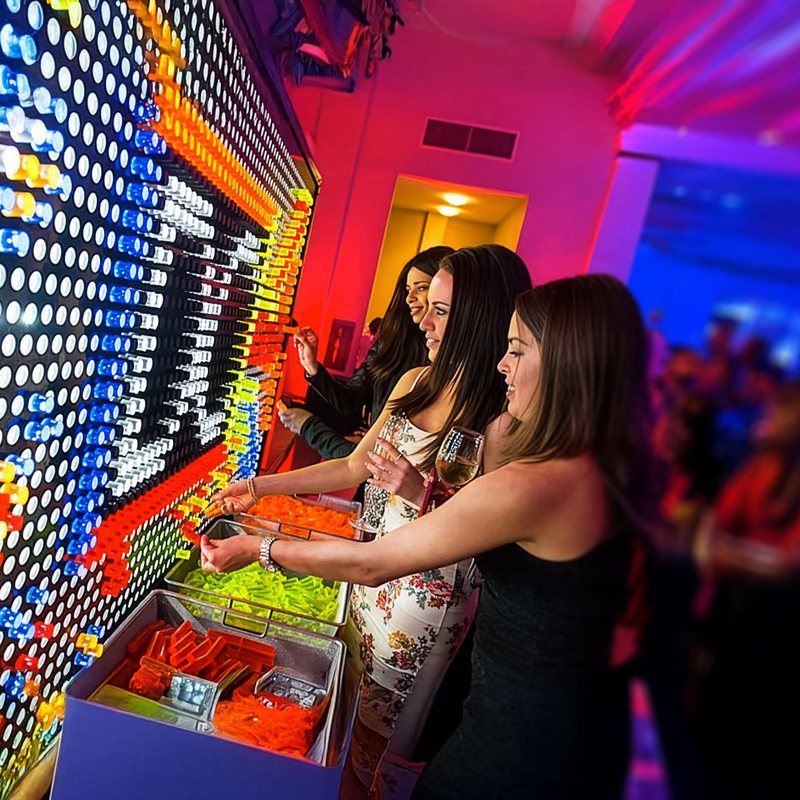
A shared build, such as a giant light-peg wall, where every guest adds a piece to one picture instead of taking home their own.

A gated set for the guest list, from a walk-in cube to a portrait studio, where getting in is part of the keepsake.
Have a question the brand wants answered on the show floor? Send the date, the guest count and that question, and CEG will say which build fits it and what the choice screen should ask.